Case study · Back-office software for a truck parking yard
Yard software for Chicagoland Truck Center
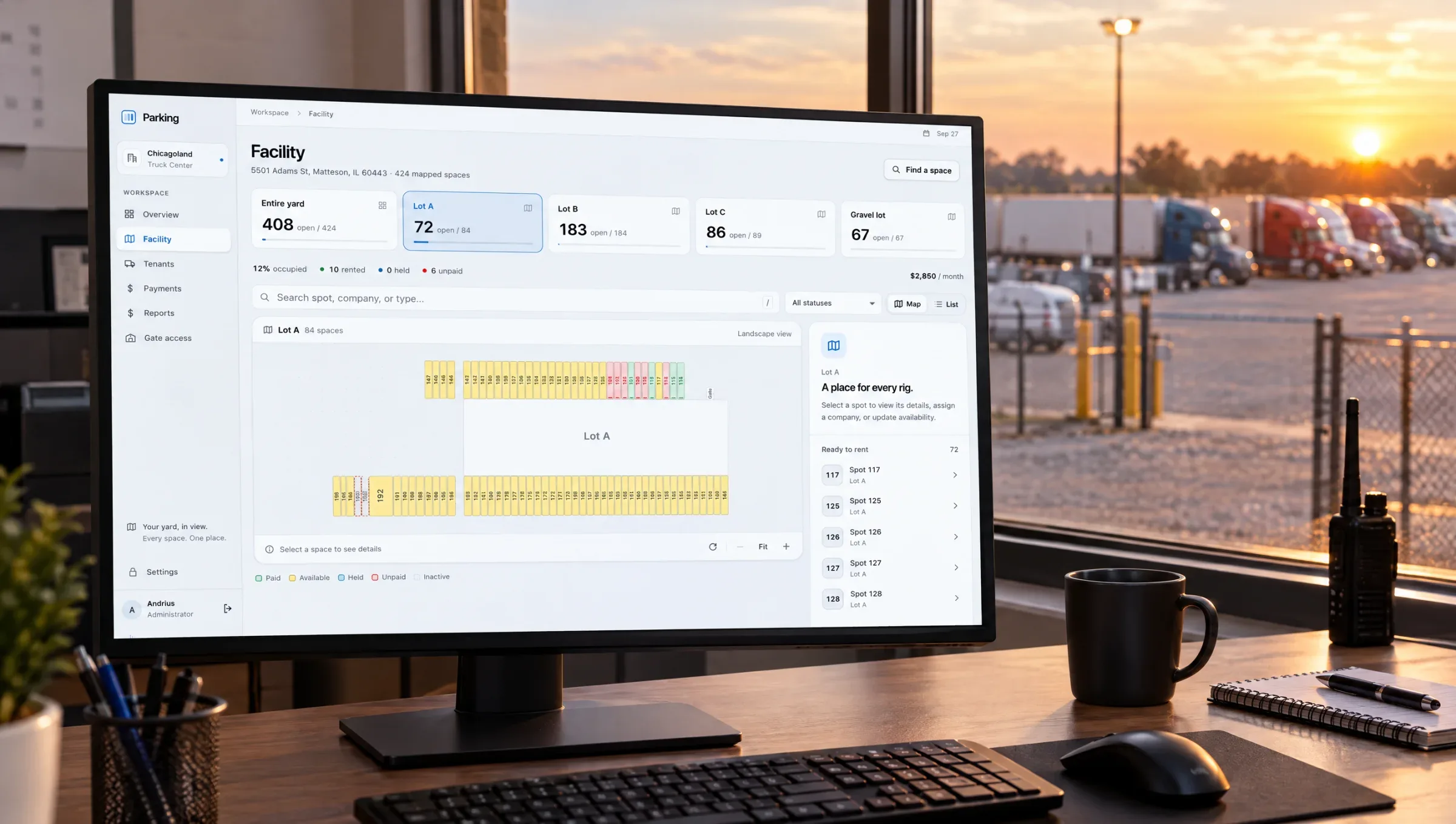
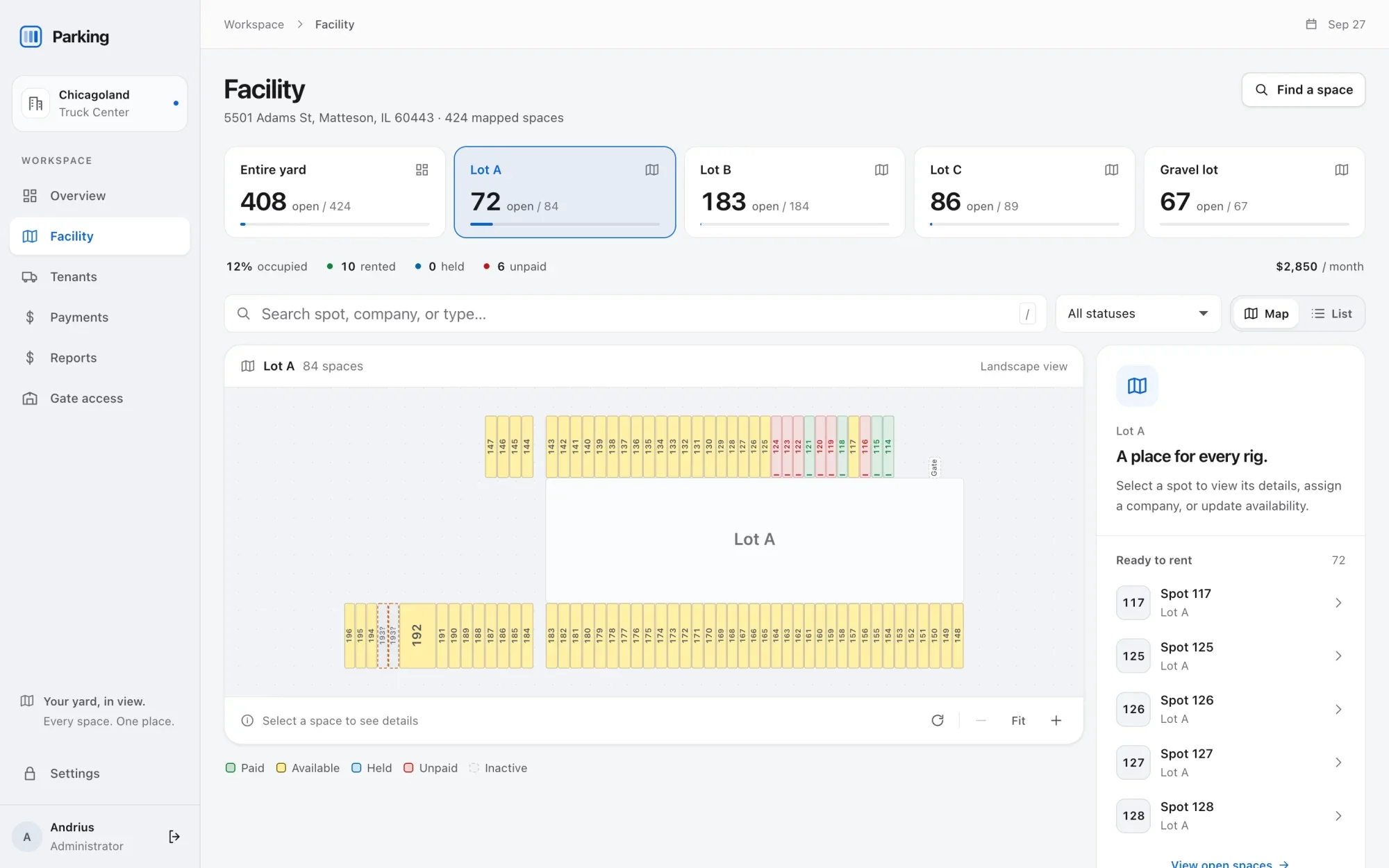
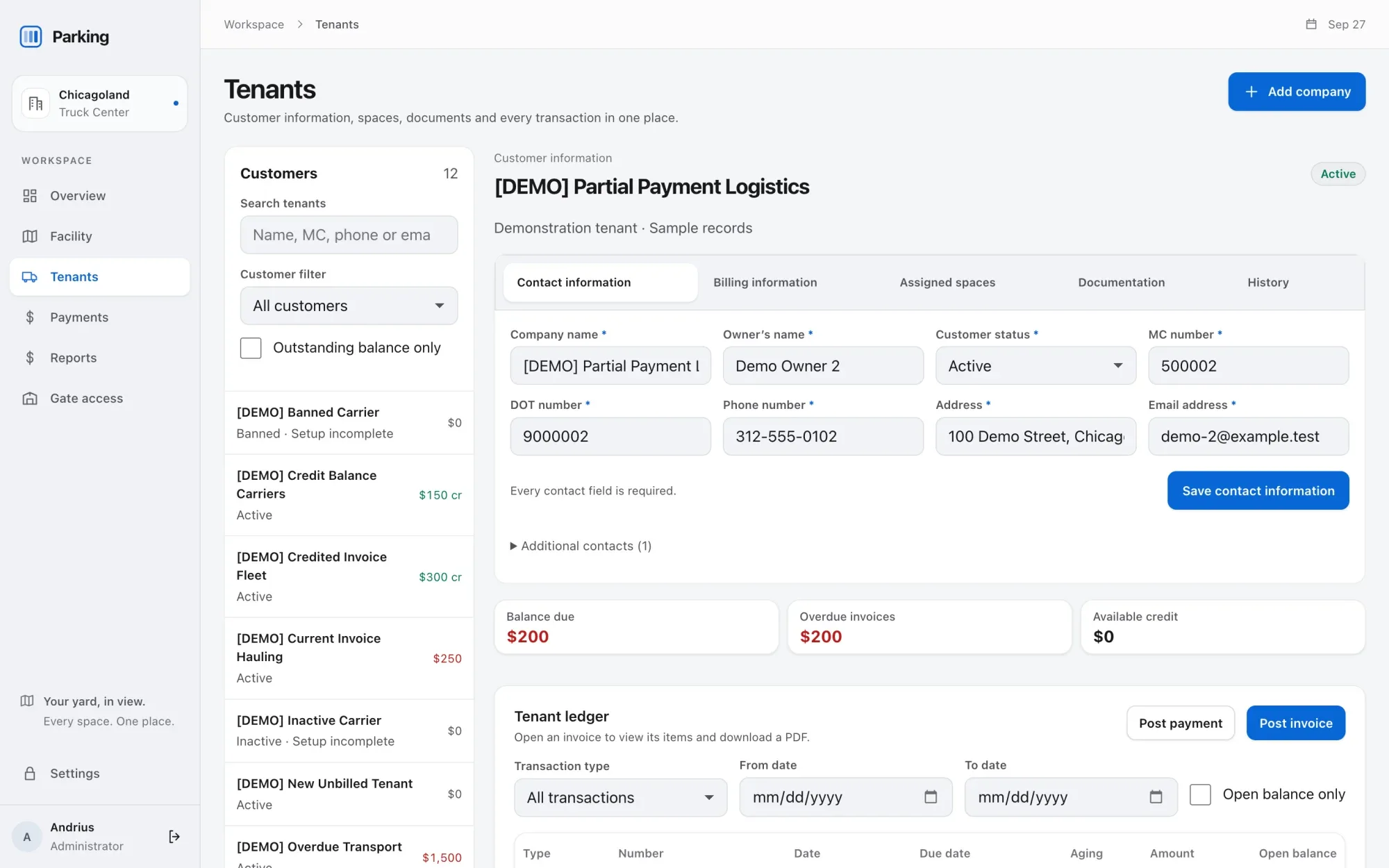
The yard's office runs from one screen: a live map of every spot, a file for every tenant company, and a ledger that tracks what each one owes. Rent roll and aging reports export straight to Excel, PDF or CSV.
The work behind the screen
Chicagoland Truck Center in Matteson, Illinois had a spreadsheet of 146 rows and an Excel drawing of the lot. The software brings the yard map, tenant records and balances into a shared office workflow.
How the workflow runs
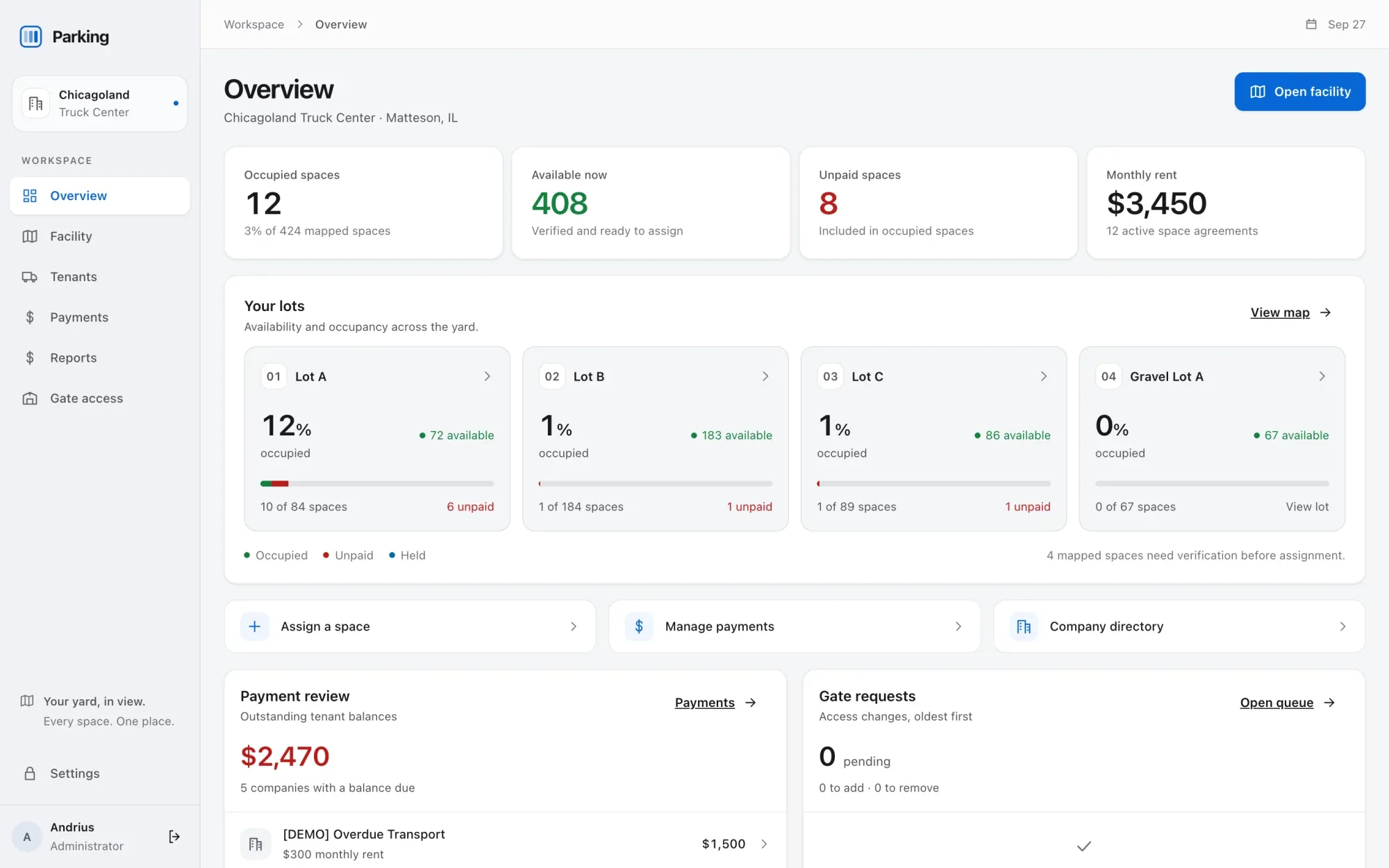
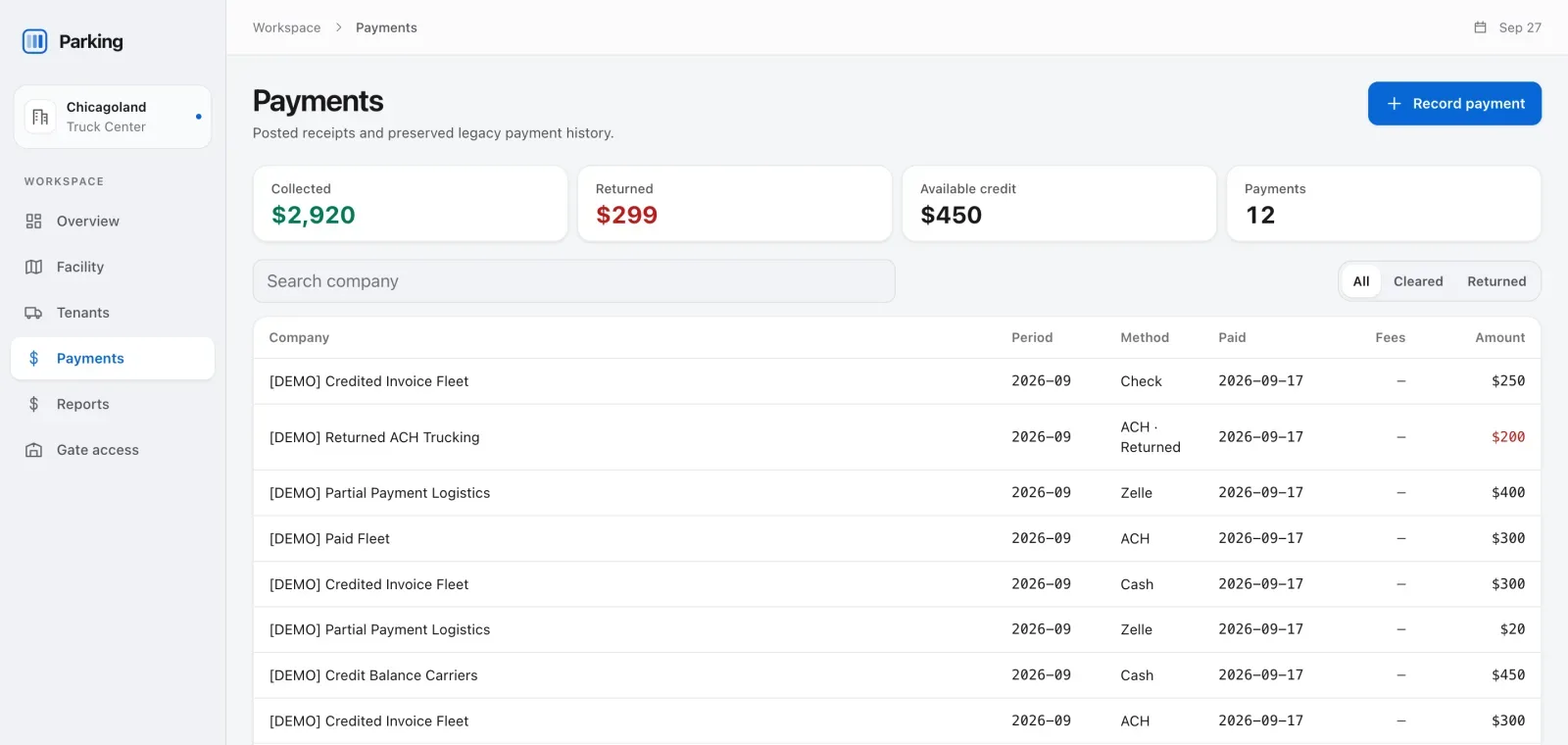
Staff can look up a carrier, open a tenant file, assign a spot by vehicle type and record invoices, receipts, partial payments or credits. The map shows available, paid and unpaid spaces. The office can export rent roll, rent paid and aging A/R reports to Excel, PDF or CSV.
424
stalls
4
lots
138
tenant companies imported
Matteson
Illinois
What we built
Color-coded yard map — available, paid and unpaid spots at a glance
Tenant files with MC/DOT numbers, contacts, agreements and IDs
Spot assignment by vehicle type, with every move logged
Invoices, receipts, partial payments and credits, with PDF invoices
Rent roll, rent paid and aging A/R reports to Excel, PDF or CSV
Gate phone-number queue and staff roles
The details that matter to a yard office
SAFER/FMCSA carrier lookup helps staff find carrier information. Gate phone-number changes go into a task queue for staff to handle. The system creates a $20 Zelle fee invoice automatically when that fee workflow applies.
It does not automatically collect payments, generate recurring billing, assess late fees or program the gate. A gate task queue records the work a person needs to complete. An invoice records an amount due; it does not establish that the money has been collected.
We have not published measured time or money savings for this yard. The yard software savings article uses clearly labeled assumptions to show how to evaluate a project.
A closer look at the software
Screens use demonstration data. Yard tenant records are marked [DEMO].
Plan your own workflow
The right scope depends on your users, permissions, data and existing tools. This case study shows delivered features; it is not a promise that another business will achieve a particular financial result.
Put a number on the busywork
What is your manual work costing you?
Use your own staffing, subscription and billing numbers. See an estimated annual range, with every assumption shown.
A good place to start
Let’s make room for the work that matters.
Bring the process that slows you down. We’ll map the opportunity, talk through what’s practical, and give you a clear next step.